

Freeform editor
A drag and drop website builder that keeps every element where you place it.
Every element stays exactly where you drop it on the page. You design the desktop page; the mobile view is built from it, and you can edit it separately.
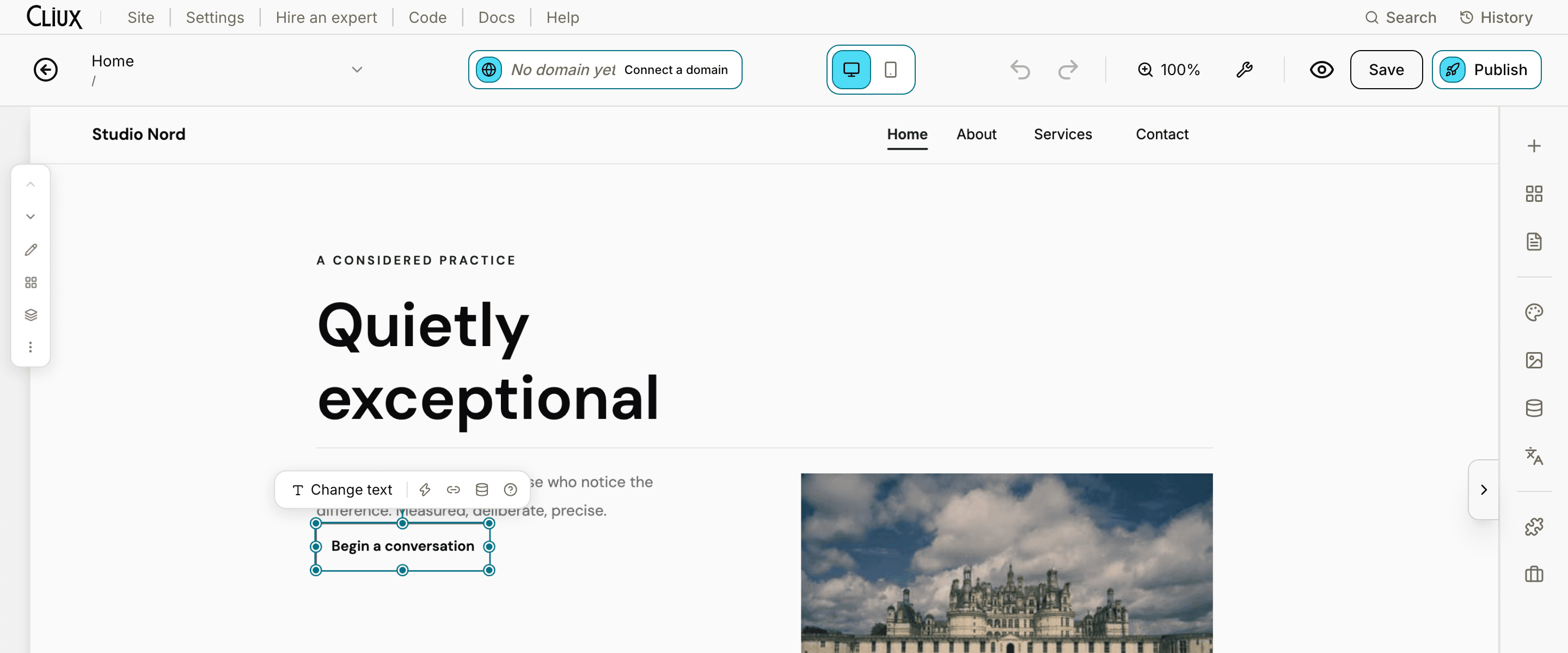
Page layout
Place every element exactly where you want it.
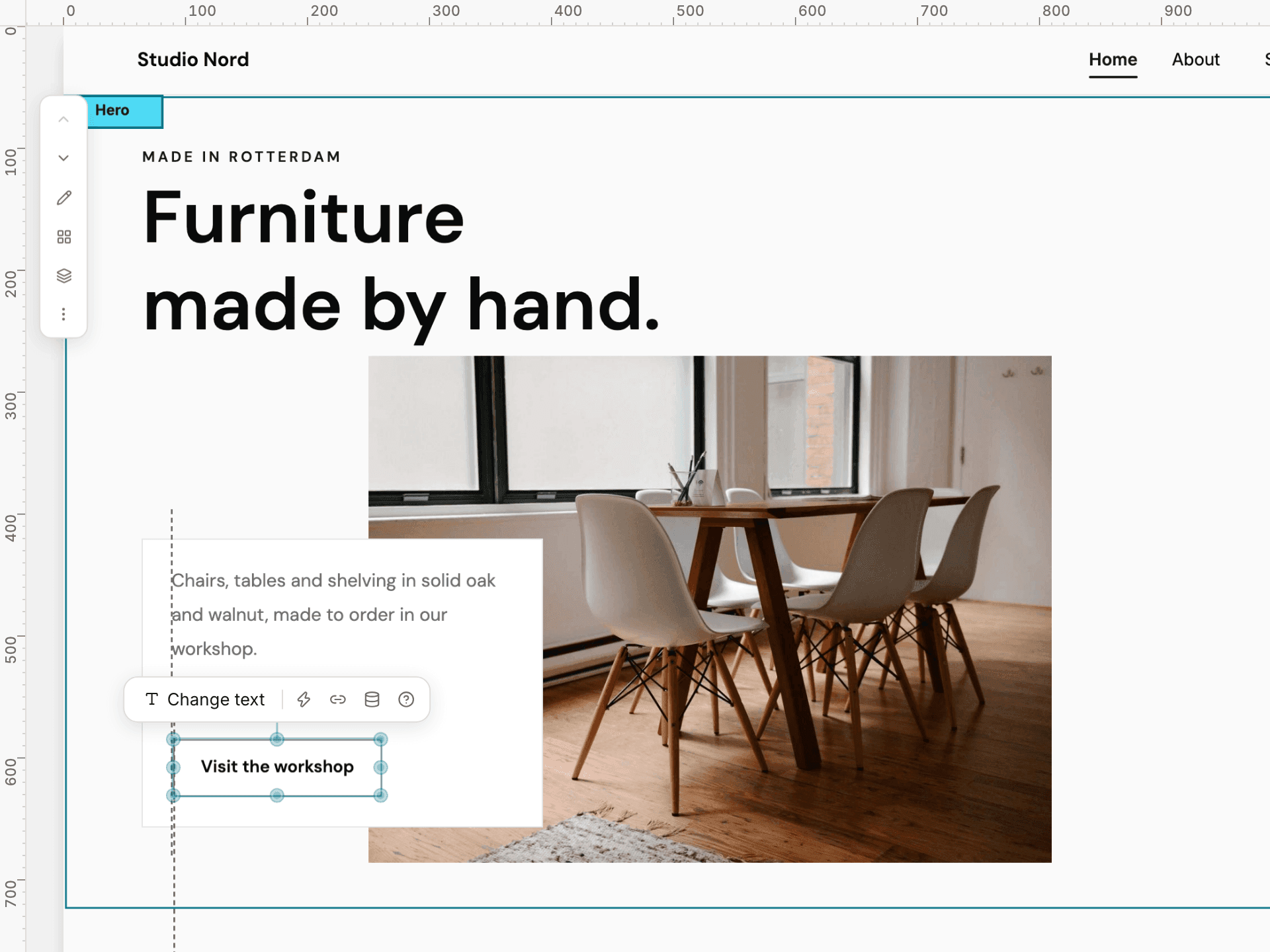
Every element has its own position on the page. You can move a heading by two pixels, place a card over a photo or set a button off the grid. Snap guides, rulers and a grid help you keep everything aligned.
Exact positioning
Drag and resize any element; the rest of the page stays where it is.
Snap guides, rulers, layers
Alignment lines as you drag, a ruler overlay, a layers panel for stacking.
Undo and page versions
A hundred steps of undo, and saved versions of a page you can go back to.
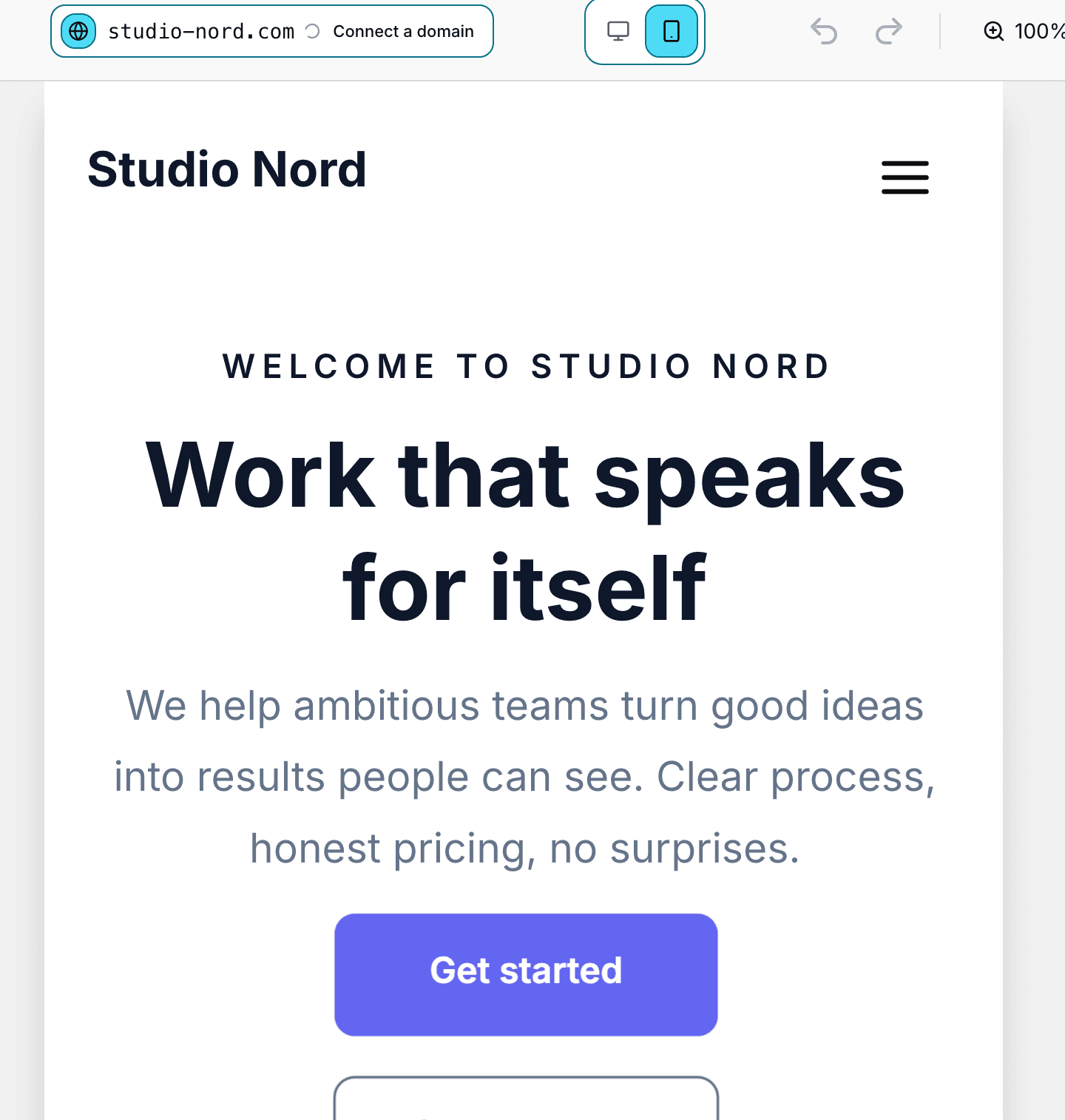
Mobile view
Design once; the mobile view is built for you and stays editable.
The mobile view is built from the desktop page: elements are arranged in a single column at readable sizes. Switch to the mobile view to adjust any element; your changes are kept.
Built for phones
A single column built from the desktop page, at sizes that are easy to read and tap on a phone.
Themes and font pairings
Eleven colour themes and eight font pairings; change one and every page follows.
Motion without code
Entrance, scroll, loop and hover effects per element or per section.
- Drag-and-drop components
- 386
- Section templates
- 71
- Colour themes
- 11
- Entrance animations
- 11
These figures are counted from the product.
Capabilities
What you get
Building and previewing are free. Publishing takes a site plan; taking payments starts on Business and recurring payments on Business Plus.
Section templates
Hero banners, feature lists, pricing tables, galleries, and store and booking widgets: drop one in and edit it on the page.
Shared header and footer
Edit the header once and every page carries it; the same for the footer.
Code mode
Page code, canvas scripts, code files and CMS databases in a code editor with search, for when you want to write code.
CMS binding and repeaters
Bind text and images to a collection, and repeat a card for every item in it.
Image crop and popups
Crop in place, and add popups that open on a click, on load or after a delay.
Preview and publish
A shareable preview link while you build; Publish puts the page on your domain.
Go deeper
More on Page Builder
Frequently asked questions
Have other questions?Use the contact form
No. You design your pages in the editor without writing code. Code mode is there if you want to add code, and it is optional.
Yes. It is built from the desktop page as a single column at readable sizes. You can switch to the mobile view and change anything, and your changes are kept.
Yes. Elements have coordinates rather than an order, so overlaps and offsets are allowed. Snap guides and rulers help you keep things aligned.
Undo covers your last hundred steps, and the History panel keeps saved versions of a page you can restore.
Team members can open the same site. Live cursors and simultaneous editing of one page are not currently available.
Get started
Try Page Builder for free.
Building and previewing are free. Publishing a site, at its Cliux address or on your own domain, is $192 a year on the Website plan, and selling starts on the Business plan.