

Page code
JavaScript on your pages, written inside the builder.
Turn on Code mode and every page gets its own file. Address elements by name, react to clicks and input, read your CMS collections, and watch the live preview's console under the editor. The code runs in the visitor's browser on the published page.
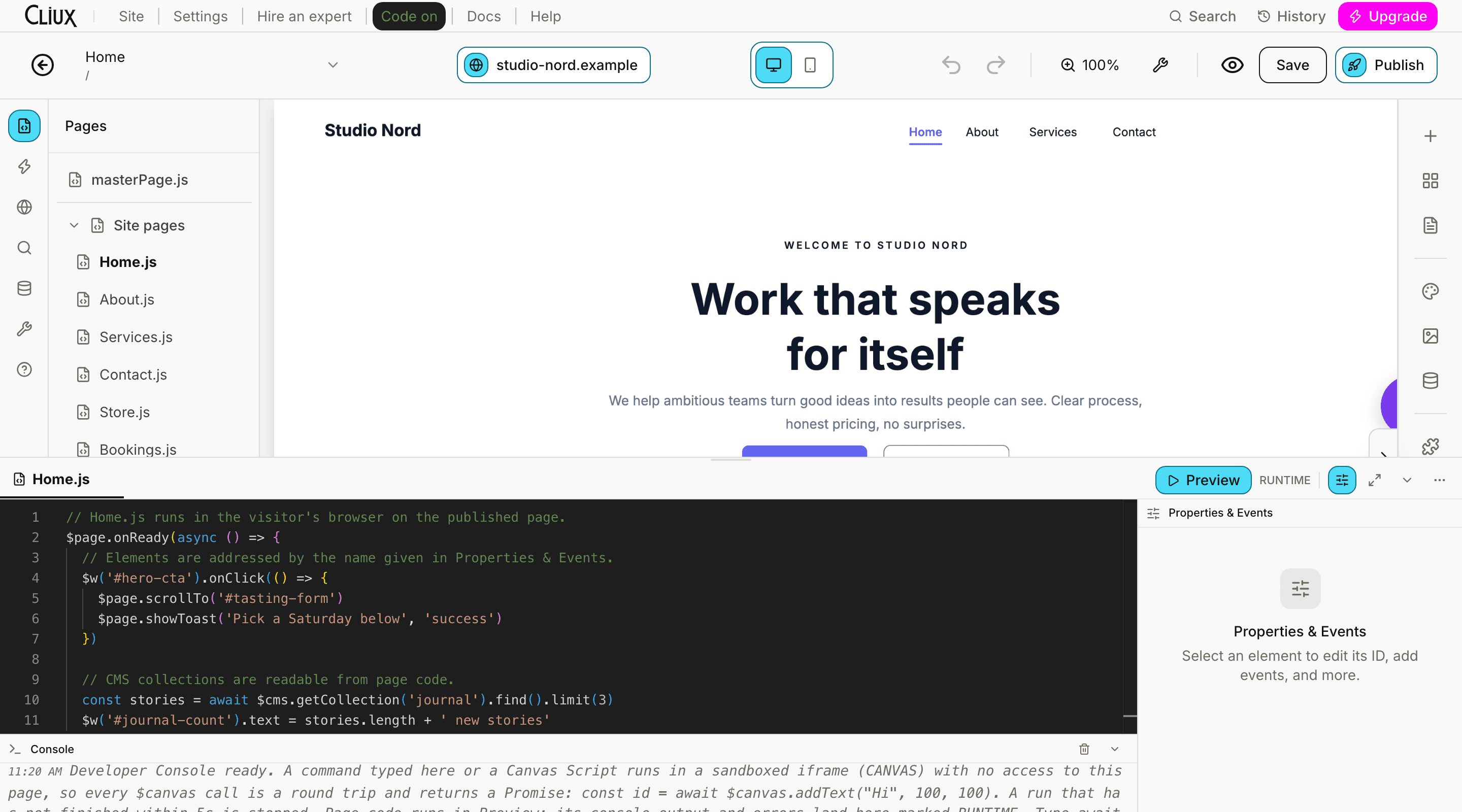
// Home.js runs in the visitor's browser on the published page.
$page.onReady(async () => {
  // Elements are addressed by the name given in Properties & Events.
  $w('#hero-cta').onClick(() => {
    $page.scrollTo('#tasting-form')
    $page.showToast('Pick a Saturday below', 'success')
  })

  // CMS collections are readable from page code.
  const stories = await $cms.getCollection('journal').find().limit(3)
  $w('#journal-count').text = stories.length + ' new stories'
})- Runtime globals: $w, $page, $cms, $http, $router, $user
- 6
- Element events you can handle
- 12
- Canvas methods for scripts that edit the design
- 33
These figures are counted from the product.
Capabilities
What you get
A file per page, plus masterPage.js
Each page has its own script; masterPage.js runs on every page. Autosaved as you type.
Properties and Events
Give a selected element a name and insert a handler stub for any of its twelve events, straight into the file.
Read your CMS
Find, filter, sort and count items in a collection from page code. Reading only; writes stay in the editor.
Canvas scripts
Scripts that edit the design itself through a sandboxed canvas API, with a time budget so a loop cannot hang the editor.
One console for the canvas and the preview
Run a command against the canvas, or open the live preview and read its console output and errors under the editor.
Code files and search
Reusable modules any page can import, one search across every file, and a Monaco editor to edit them in.
Part of
Page Builder
Frequently asked questions
Have other questions?Use the contact form
JavaScript. The editor is Monaco with completions for the runtime globals; there is no TypeScript compile step and no type generation.
No. Page code runs in the visitor's browser on the published page. Server functions, endpoints and secrets are not currently available in Code mode; a call to your own server is a normal request from the browser.
Not from page code. $cms reads collections; items are created and edited in the editor's Databases panel.
Open the live preview from the code panel. Its console output and errors are relayed under the editor, marked as runtime lines, beside the canvas console.
No. Files are saved to the site as you type, and the page's version history covers the design. Git integration is not currently available.
Get started
Try Page Builder for free.
Building and previewing are free. Publishing a site, at its Cliux address or on your own domain, is $192 a year on the Website plan, and selling starts on the Business plan.