

Contacts, deals, chat
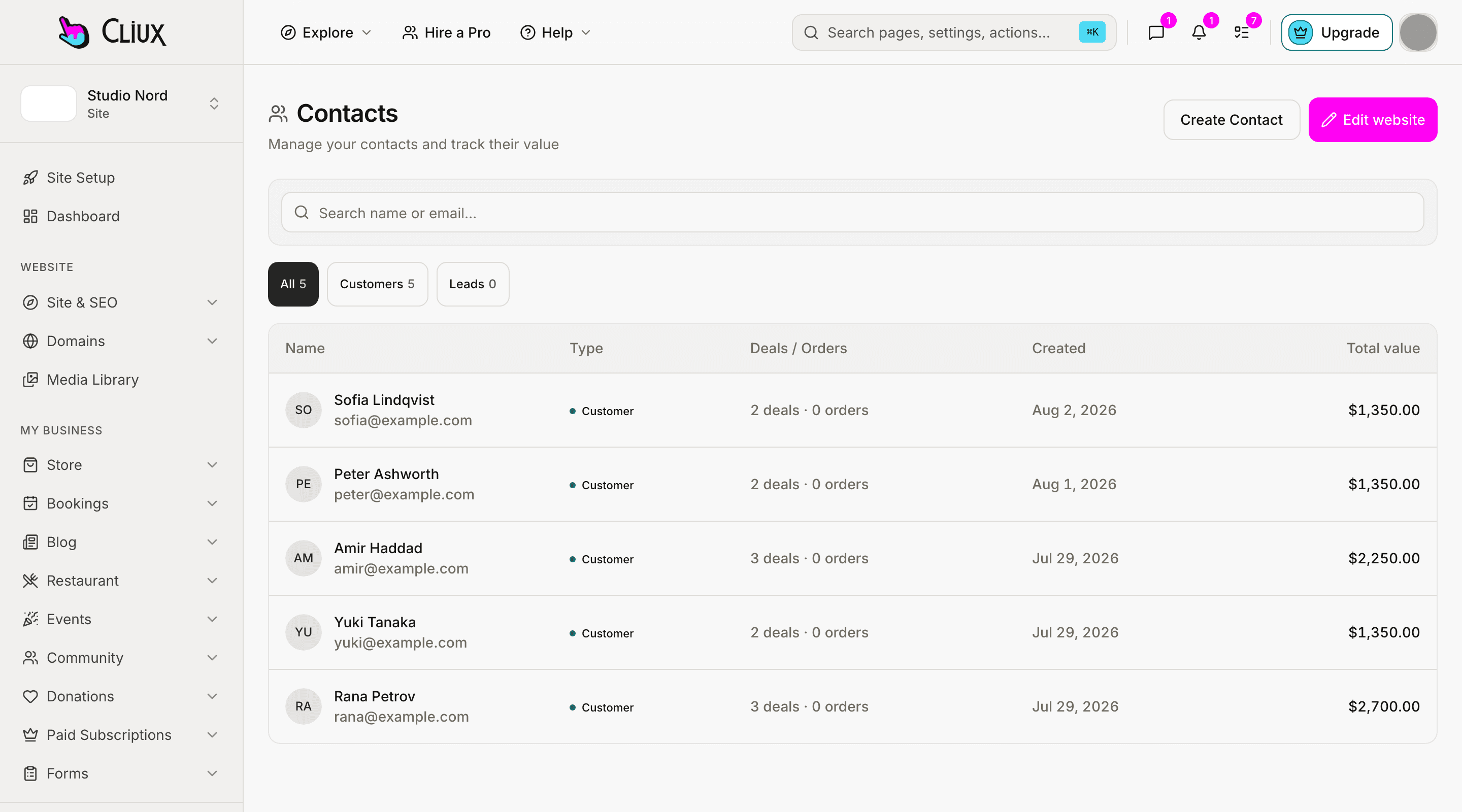
Everyone who wrote to you, in one list.
Contacts that fill themselves from your forms, a pipeline board for deals, and a live chat inbox for the visitors on your site right now. They are part of the same site, so there is nothing to import or sync.
Deals
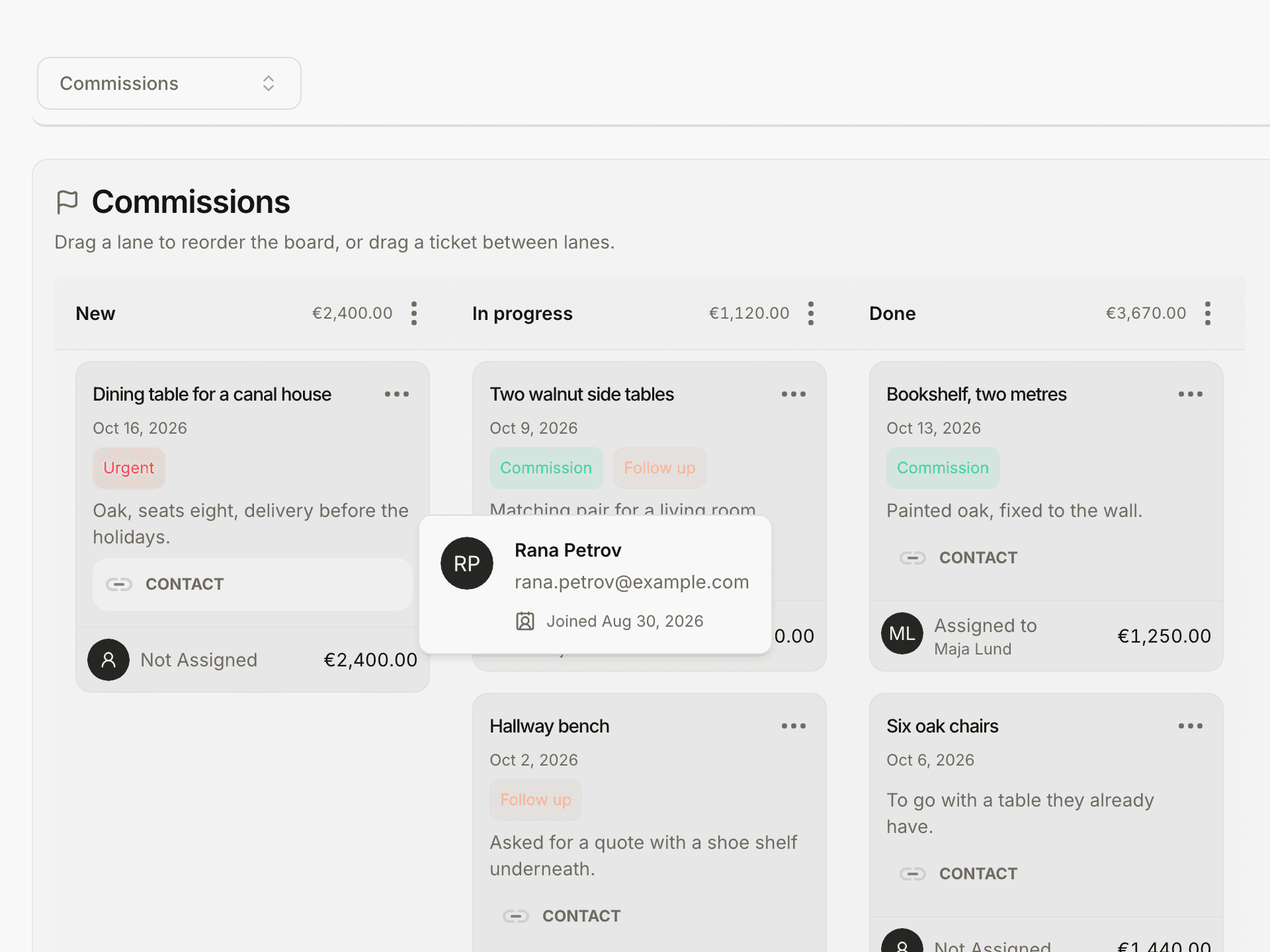
A board for the work that is not closed yet.
Pipelines with the lanes you name. A ticket carries a value, a description, an assignee and tags, and it links to the contact it is about. Drag it across lanes as the deal moves; the contact page lists that contact's deals with a lifetime value added up from them.
Pipelines and lanes
As many boards as you have processes; lanes in the order you work them.
Value, owner, tags
A number, a person and labels on every ticket.
Lifetime value from deals
The values of a contact's deals, added up; nothing is estimated.
Live chat
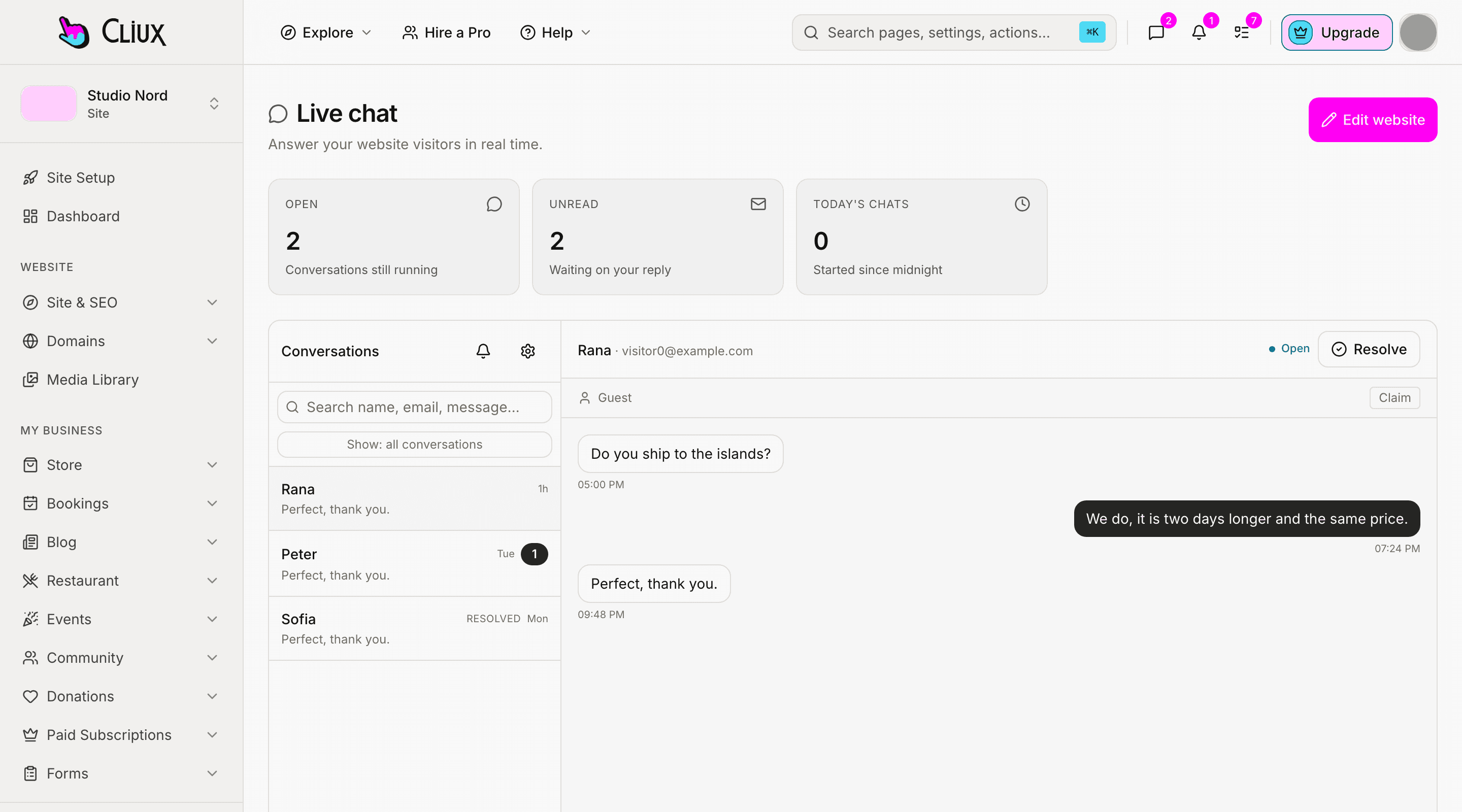
Answer the visitor while they are still on the page.
A chat widget on your site and an inbox in your dashboard. Each conversation shows the visitor's name and email when they give it, the page they are on, where they came from and their device. Assign it, type a slash to insert a saved reply, attach a file, and set business hours with an away message for when nobody is there.
One inbox, assignable
Conversations with unread counts, an assignee and a resolve button.
Saved replies
Replies you save once and insert by typing a slash, for the questions you answer every day.
Business hours
A weekly schedule and an away message outside it.
Capabilities
What you get
Building and previewing are free. Publishing takes a site plan; taking payments starts on Business and recurring payments on Business Plus.
Contacts
Name and email, customer or lead, linked deals, and a lifetime value.
Filled by forms
A form with "create contact" on adds every sender once, by email address.
Pipeline boards
Lanes and tickets with value, assignee, tags and a linked contact.
Live chat inbox
Visitor context, assignment, attachments, saved replies, business hours.
Added by hand too
A contact you met elsewhere goes in from the contacts screen in a few fields.
Tags
Labels shared across a site's tickets, so related deals are easy to spot on the board.
Go deeper
More on CRM
Frequently asked questions
Have other questions?Use the contact form
Contacts are created by your own site: form submissions with "create contact" on. CSV import is not currently available; a contact can also be added by hand.
Yes. While the inbox is open, new messages appear in it without a page refresh, and the visitor sees your reply in the widget on the page.
No. The inbox is the chat on your website. Email is sent from your own mail client, and social media inboxes are not connected.
The contact page lists the contact's deals and their total. Store orders are not currently linked to contacts; they are listed on the store's orders board.
The dashboard works in a phone browser; there is no native app.
Get started
Try CRM for free.
Building and previewing are free. Publishing a site, at its Cliux address or on your own domain, is $192 a year on the Website plan, and selling starts on the Business plan.