

Online store builder
An online store builder for your own site, with no commission on your sales.
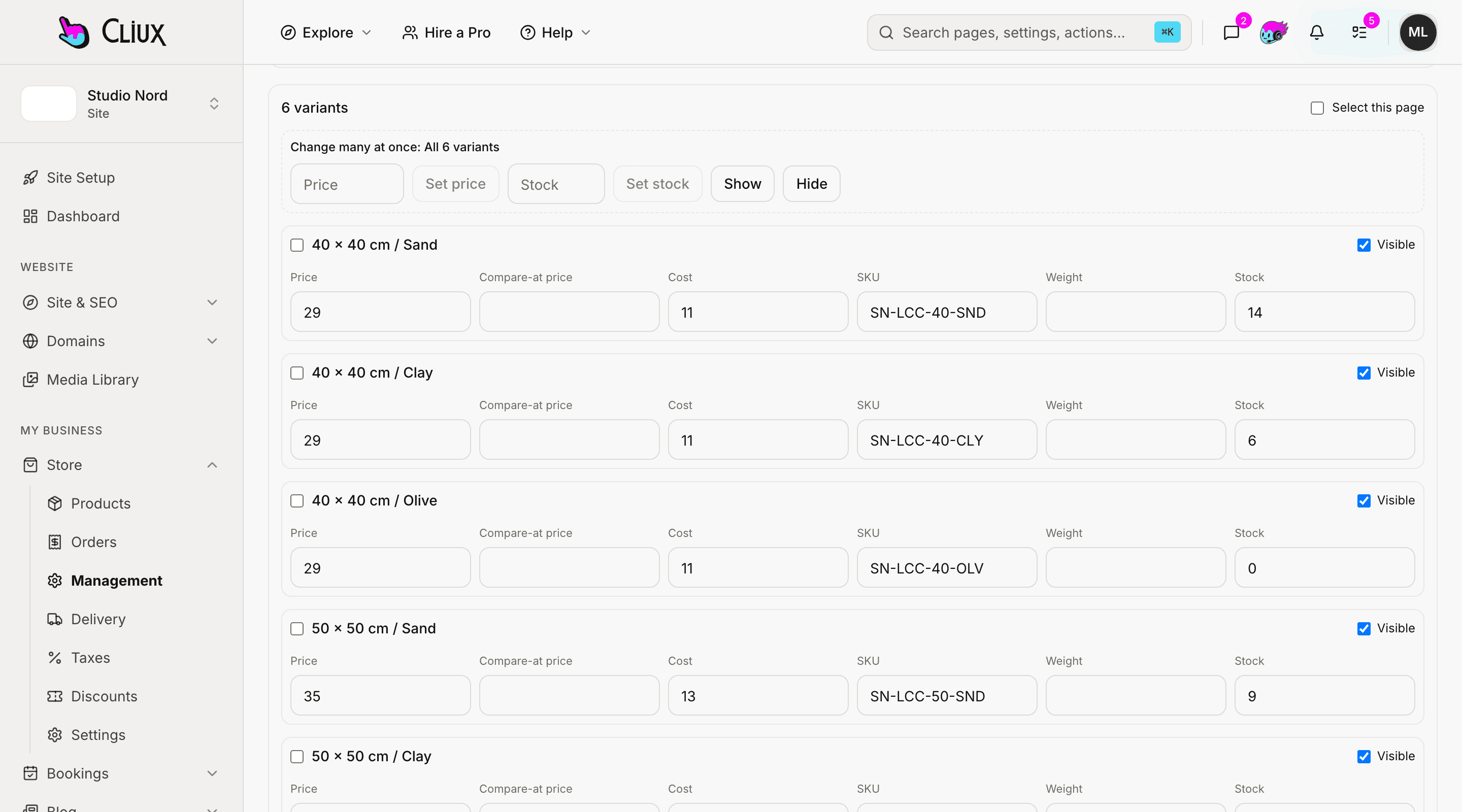
Add products with a stock count of their own, kept separately for each combination of size and colour, and take card payments into your own account through the provider you connect, such as Stripe. Discount codes, shipping, digital goods and orders are managed in the store's dashboard, and the store's pages are designed in the same editor as the rest of your site.
Start from a real page
Three online store templates, previewed live.
An online store starts with 3 pages: Home, About and Contact. Keep the recommended apps when you create the site and a Store page joins them. Hover over a card to scroll its preview; open one to browse the whole site on a desktop or a phone.
- Design themes
- 11
- Templates, each previewed live
- 121
- Currencies the store can charge in
- 27
These figures are counted from the product.
What you get
The builder's main features
Stock that cannot be oversold
Each product has its own stock count, and a product in sizes and colours has one for every combination. Stock is reserved when an order is placed and released if the order is cancelled before it ships or is left unpaid past its deadline.
Card payments into your own account
Cards are charged through the card provider you connect (Stripe, Square, Mollie or Adyen), and buyers can also pay with PayPal if you connect PayPal too. Cliux takes no commission; the payment provider's own fee is the only fee on a sale.
Discount codes and shipping zones
Create discount codes in the store's dashboard; one code can be used per order. Group the countries you ship to into zones, and give each zone its own delivery options and prices.
Digital goods
Sell files alongside physical products. After paying, the buyer downloads the file from the order page through a link issued for that order, with a download limit.
Orders and refunds
All orders are listed with their status and total. Refund an order in full or in part; a full refund of an order that has not shipped puts its stock back.
Bank transfer as another way to pay
Switch on bank transfer and the buyer gets your bank details at checkout and by email, with three days to pay. The stock is held in the meantime. You mark the order paid when the money arrives; an order still unpaid after three days is cancelled and its stock returned.
Frequently asked questions
Have other questions?Use the contact form
Your payment provider's processing fee, and nothing from Cliux: there is no commission on any plan, and an order paid by bank transfer carries no provider fee. Taking payments does need a site plan that includes selling; the pricing page shows which plans do.
Yes. Open a saved physical product and add up to six options, such as size and colour. Every combination has its own price, stock and SKU, and the shopper picks one on the product page. A digital product has no options.
No. The store does not email shoppers who leave without buying; it sends order emails only.
Shoppers pay by card through the card provider you connect (Stripe, Square, Mollie or Adyen), with PayPal if you connect it, or by bank transfer if you switch it on. Instalment plans are not currently available.
No. A store has one currency, set in Store settings, and prices are not converted. The card provider you connect has to accept that currency.
Not as products sent on a schedule: the store does not sell recurring deliveries. Instead, you can sell a monthly, yearly or one-time membership plan that opens the pages and posts you lock to it.
Get started
Build your site for free. Publish it when it is ready.
Building and previewing are free. Publishing a site, at its Cliux address or on your own domain, is $192 a year on the Website plan, and selling starts on the Business plan.