

Menu, orders, tables
A restaurant website builder: your menu online, orders in the kitchen, tables booked.
A menu with options and allergens, online ordering for pickup or delivery (paid by card or at pickup), a live kitchen board, and table bookings that count covers rather than tables. On your own site, with no marketplace between you and the guest.
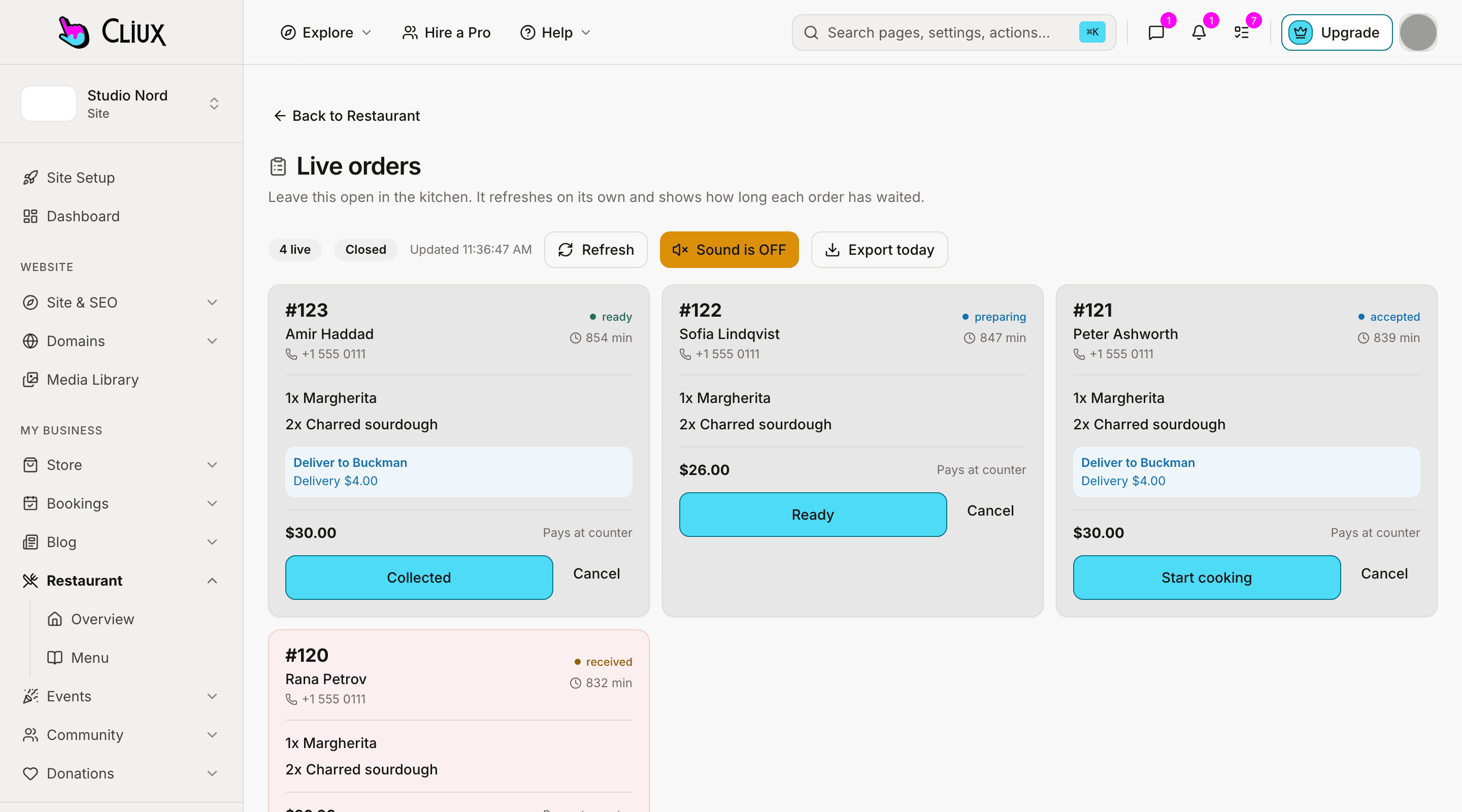
The kitchen board
Orders arrive on a board that tells you how long each has waited.
A paid order lands as received. Accept it, start cooking, mark it ready, hand it over or send it out for delivery; each step is a button, and the guest's order page follows along. Pause ordering with a reason when the kitchen is busy; the quoted time also stretches as the queue grows.
Nine order states
From received to completed, including rejected and cancelled.
A quoted time that adapts
Prep time plus the queue, in batches of as many orders as the kitchen can prepare at once.
Sound and a live feed
New orders play a sound on the board; if the live connection drops, for example when a tablet sleeps, the board checks for new orders at regular intervals.
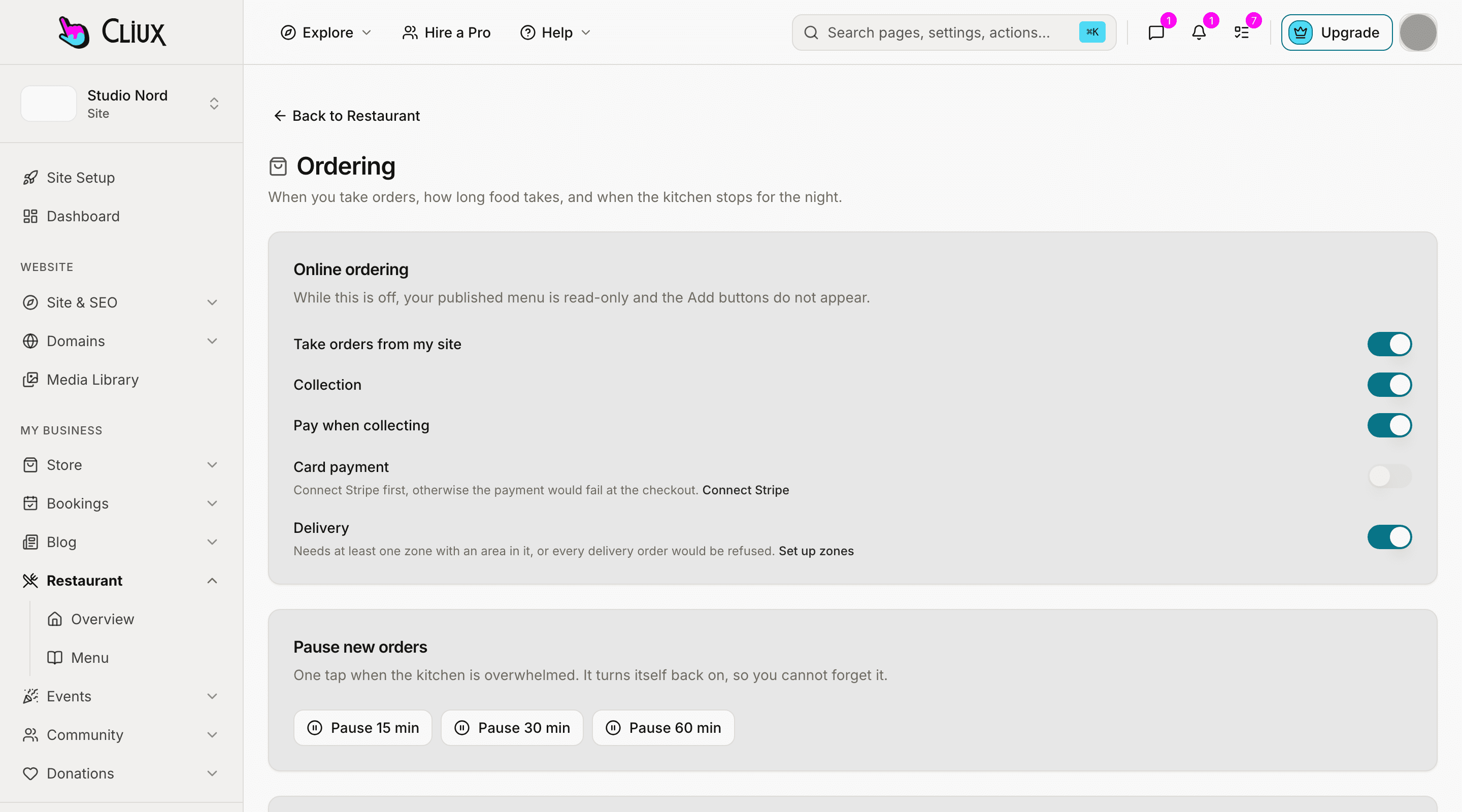
Tables
Bookings that count people, not tables.
Set how many people you can seat at once and how long a table is held. Bookings are taken up to that limit, at the sitting interval you choose, and up to the largest party you allow online. Guests confirm by email, so an unverified request holds no seats. Approve each booking yourself or accept them automatically.
Covers and turn time
Seats available at once, minutes per table, and the interval between sittings.
Email-verified requests
A booking counts only once the guest has clicked the link.
Tonight's book
Covers booked, bookings awaiting your approval, and an export for the door.
- Order states on the board
- 9
- Fulfilment types: pickup, delivery
- 2
- Ways to pay: card online, on collection
- 2
These figures are counted from the product.
Capabilities
What you get
Building and previewing are free. Publishing takes a site plan; taking payments starts on Business and recurring payments on Business Plus.
Menu with options
Categories, items with a price, image and allergens, option groups with minimums and maximums, and one switch to take a dish off.
Pickup and delivery
Delivery zones the guest picks, each with its own fee and minimum order.
Card online or on collection
Card payments through the payment provider your site connects, into your own account; pay on collection when you prefer.
Hours and closures
Opening hours per day, one-off closures, a last-order cutoff and a cap on active orders.
Live kitchen board
Every open order with its wait time and its next step, with sound.
Refunds and emails
Order and booking emails to the guest; a refund from the order goes back through the provider that took the payment.
Go deeper
More on Restaurant
Frequently asked questions
Have other questions?Use the contact form
No. Online ordering runs on your own site and the payment account you connect. You pay your Cliux plan; your payment provider charges its own fee.
Yes. Turn on pay-on-collection and the order arrives unpaid with a note to settle at pickup. Card online can stay on beside it.
Yes. The menu screen makes a QR code for your menu page, ready to download and print. It opens the menu guests order from; ordering to a table number is not currently available.
No. Orders come in on the Cliux kitchen board, which runs on any tablet or laptop in the kitchen. There is no integration with a point of sale or a delivery marketplace.
Not currently. Table bookings are confirmed by email and, if you choose, by your approval; no card is taken.
Get started
Try Restaurant for free.
Building and previewing are free. Publishing a site, at its Cliux address or on your own domain, is $192 a year on the Website plan, and selling starts on the Business plan.