

Deals
A board for the deals that are not closed yet.
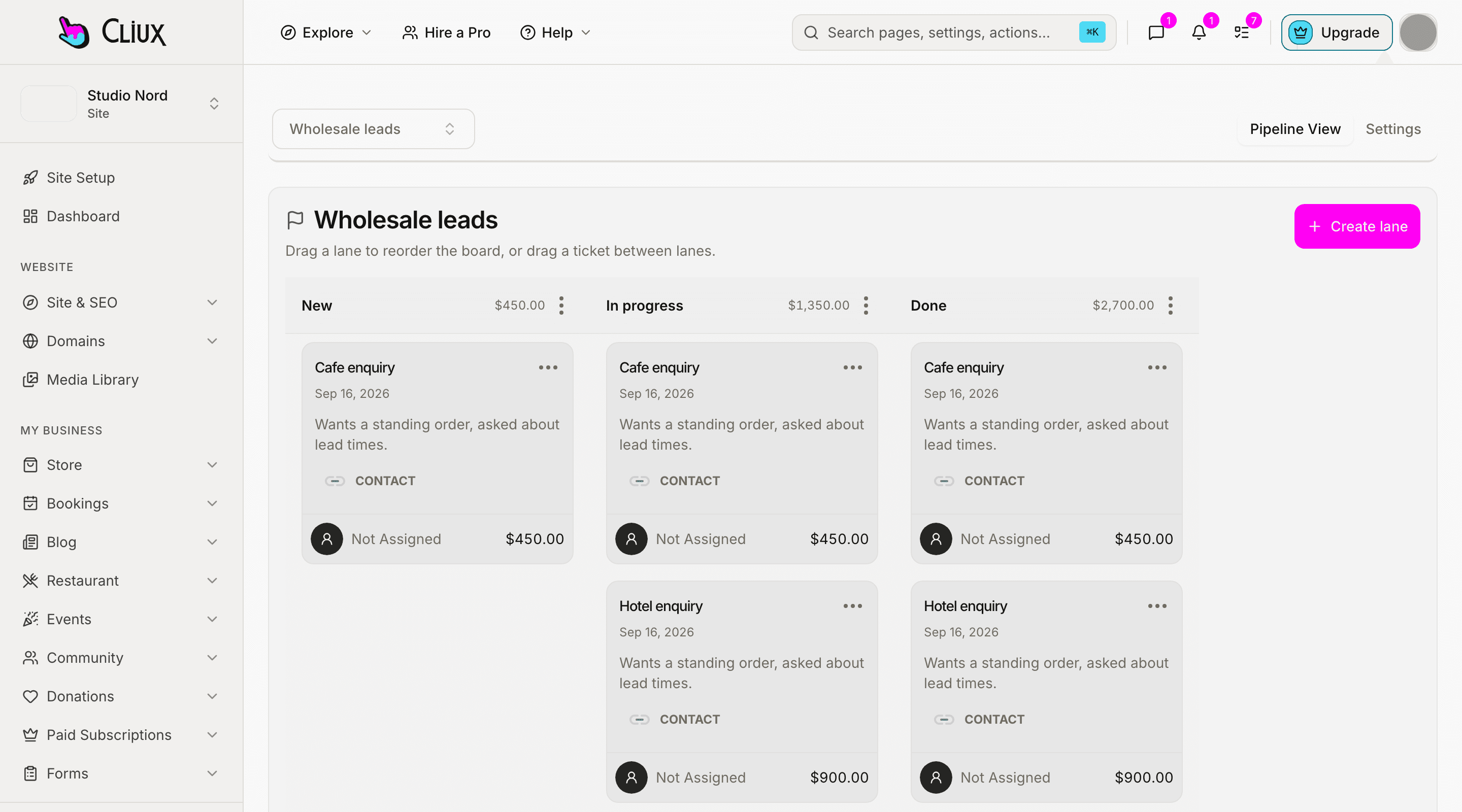
As many pipelines as you have processes, lanes you name and reorder, tickets you drag between them. Each deal carries a value, tags, a team member and a contact, and every lane shows its total in the header.
Capabilities
What you get
Pipelines and lanes
A board per process; lanes you add, rename, reorder and delete.
Drag it forward
Drag a ticket between lanes as the deal moves, or drag a lane to reorder the board.
A value per deal
Each ticket carries an amount; the lane header adds them up.
Coloured tags
Coloured tags created inline and reused across tickets, so deals are easy to tell apart on the board.
Assignee and contact
Assign a team member, shown by their avatar, and link the contact the deal is about.
Seen from the contact too
A linked deal appears on the contact's page, with its value counted in their lifetime value.
Part of
CRM
Frequently asked questions
Have other questions?Use the contact form
No. The board records where a deal is; it does not run automations.
No. The board shows a total for each lane; there is no weighted forecast and no report screen.
Yes. With one pipeline you land on its board; with more, you choose from a selector.
No. There is no mailbox connection; a deal's history is what you write in its description.
Not currently. Tickets are created on the board, one at a time.
Get started
Try CRM for free.
Building and previewing are free. Publishing a site, at its Cliux address or on your own domain, is $192 a year on the Website plan, and selling starts on the Business plan.