

People
A plain list of the people who wrote to you.
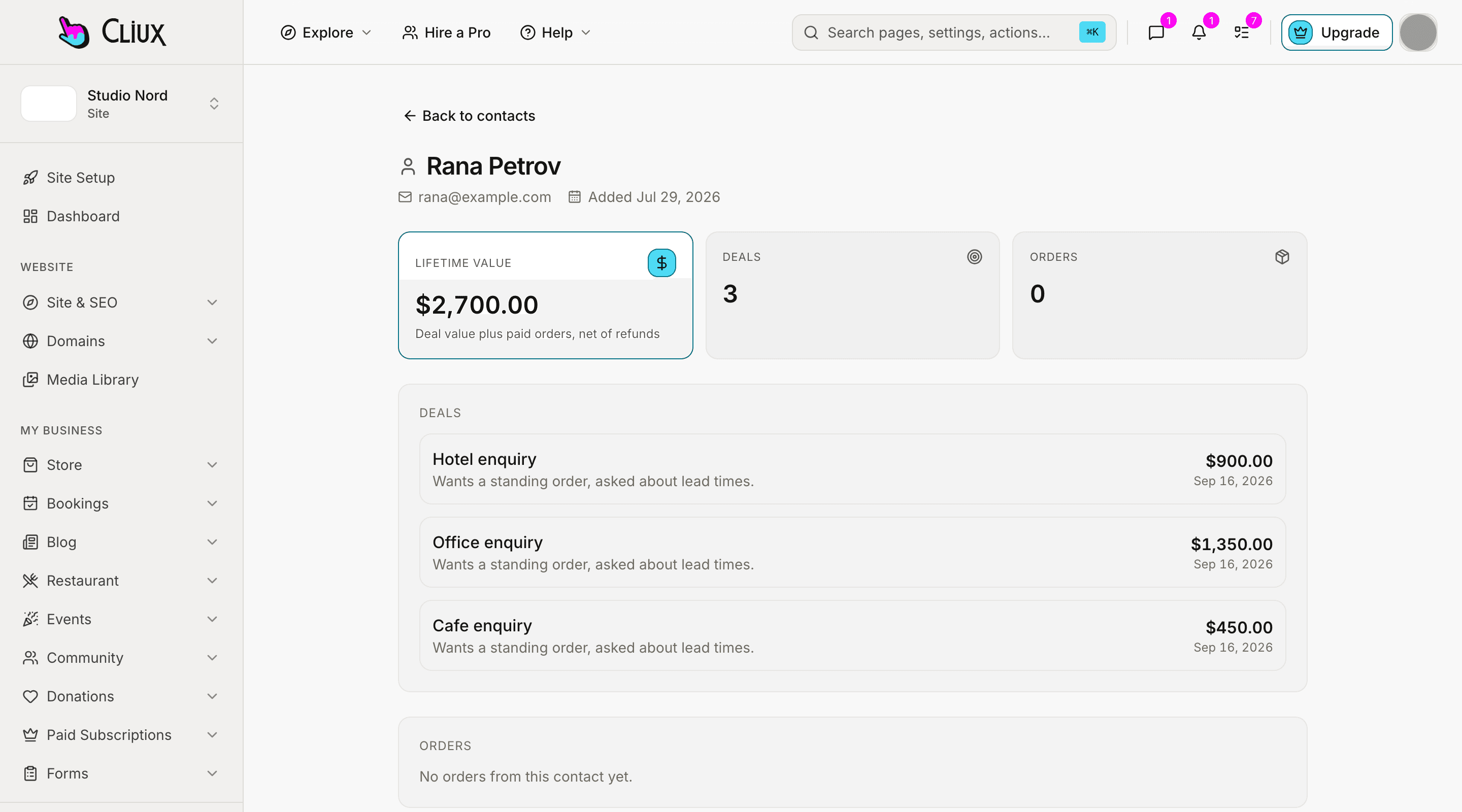
Name and email, and whether each one is a customer or a lead. Contacts arrive from your forms or are added by hand, and each has a page with its deals and a lifetime value added up from them.
Capabilities
What you get
Two fields
Name and email. Nothing to configure before the first contact arrives.
From your forms
A form with "create contact" on adds every sender, once per email address.
Or by hand
Name and email, from the contacts screen, for someone you met elsewhere.
A list you can search
Search by name or email; filter to customers or leads; the view stays in the URL.
Lifetime value
The total of a contact's deals, shown on their page beside the deals themselves.
Linked from the board
Attach a contact to a deal on the pipeline and it shows on the contact's page.
Part of
CRM
Frequently asked questions
Have other questions?Use the contact form
Not currently. Contacts come from your forms or are typed in one by one.
No. A contact is a name and an email address, with the deals linked to it; tags live on deals.
Not currently. Orders are listed on the store's orders board; the contact page lists deals.
No. A contact can be added from the dashboard, but not edited or deleted there.
There is no limit in the plan. The list screen shows the most recent five hundred and says so when there are more.
Get started
Try CRM for free.
Building and previewing are free. Publishing a site, at its Cliux address or on your own domain, is $192 a year on the Website plan, and selling starts on the Business plan.