


Payments
Take card payments through your own Stripe account.
Connect a Stripe account once from the console. Every card checkout on the site is paid directly into that account, Cliux adds no fee of its own, and refunds are issued from the same console.
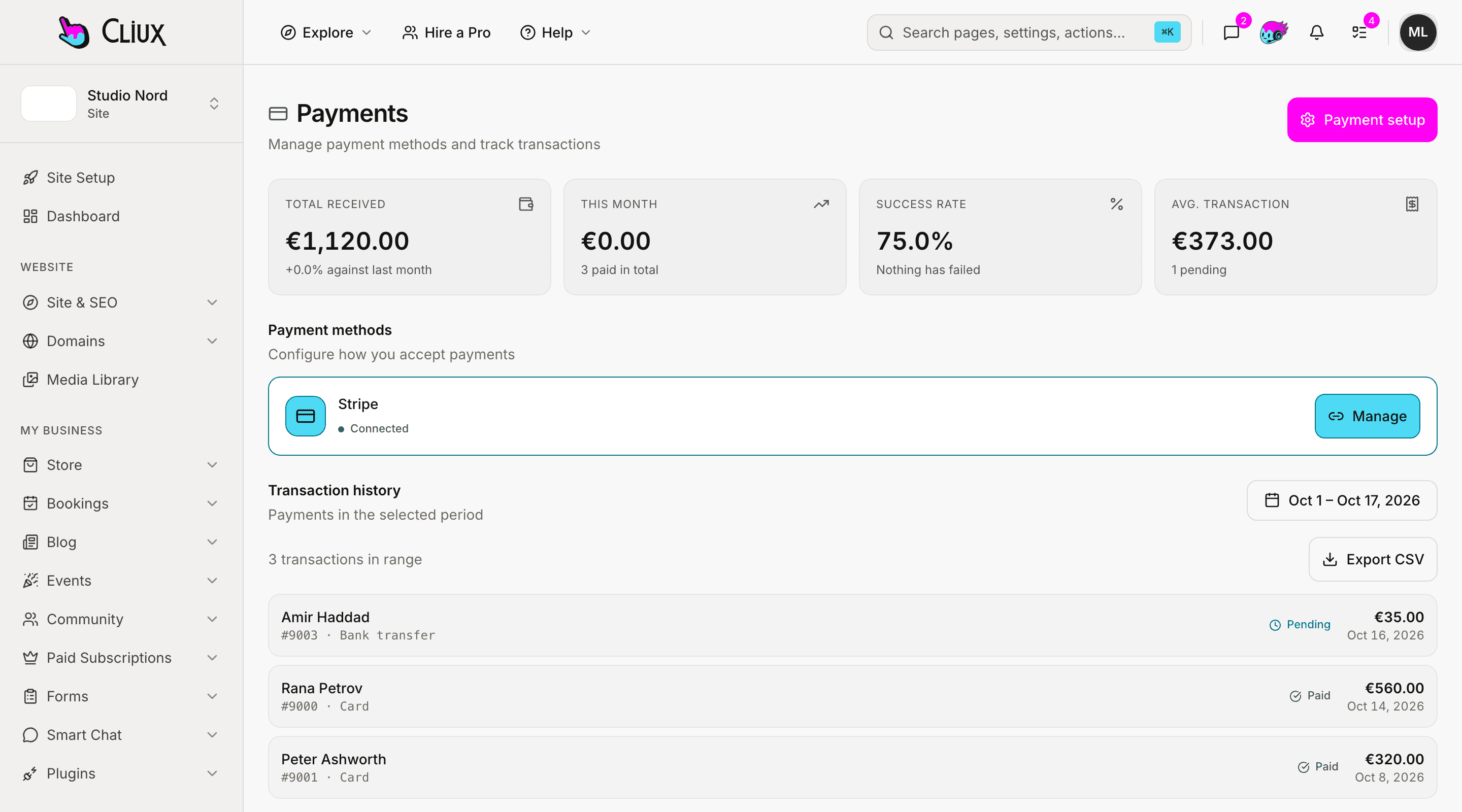
How you connect
Where Stripe is switched on
The screen, the path to it in the sidebar, and what happens when you press the button. Nothing else to install.
Site console
- Payments & Sales
- Setup & Connect
Press Connect Stripe. Stripe asks you to sign in and authorise Cliux. You then return to the same screen, which shows the account as connected along with its status.
Agency console
- Launchpad
- Connect payments
Press Connect Stripe. An agency connects its own account for the invoices it sends to clients, with the same sign-in and authorisation.
One connection
Every card checkout on the site is paid into the account you connected.
No separate setup is needed for each feature. The store, the restaurant, event tickets, bookings, memberships and donations each build their checkout from your own catalogue at the moment of purchase, and Stripe takes the payment on your account.
Store, restaurant, events
Card checkout for store orders, restaurant orders for collection or delivery, and event tickets, each priced from your own catalogue.
Bookings, memberships, donations
Deposits or full payment for appointments, membership plans with or without a trial, and one-off or monthly donations.
Agency invoices
A client pays an invoice by card into the agency's connected account, and the invoice is marked paid once Stripe confirms the payment.
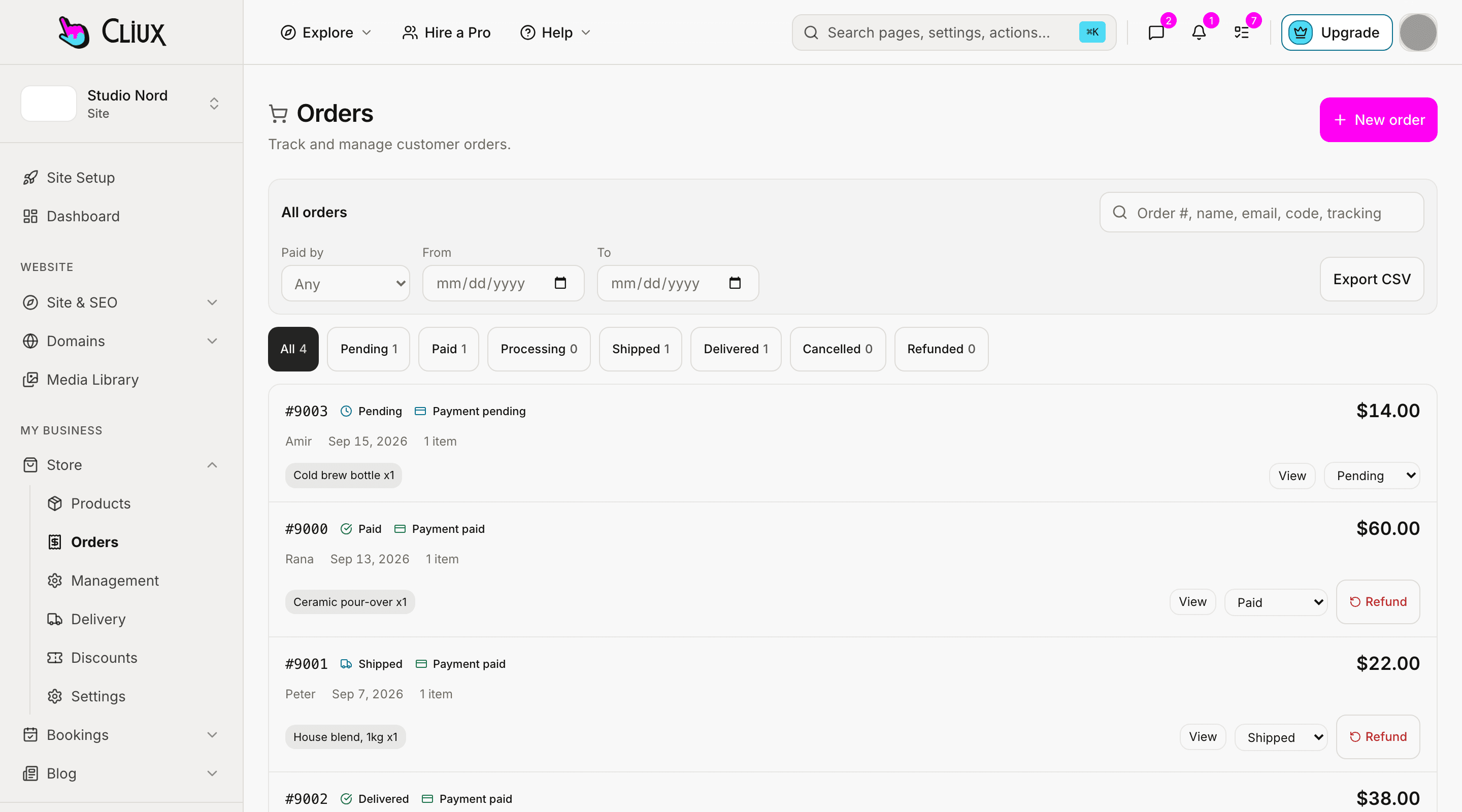
Refunds and payouts
Refunds from the console, payouts in your Stripe dashboard.
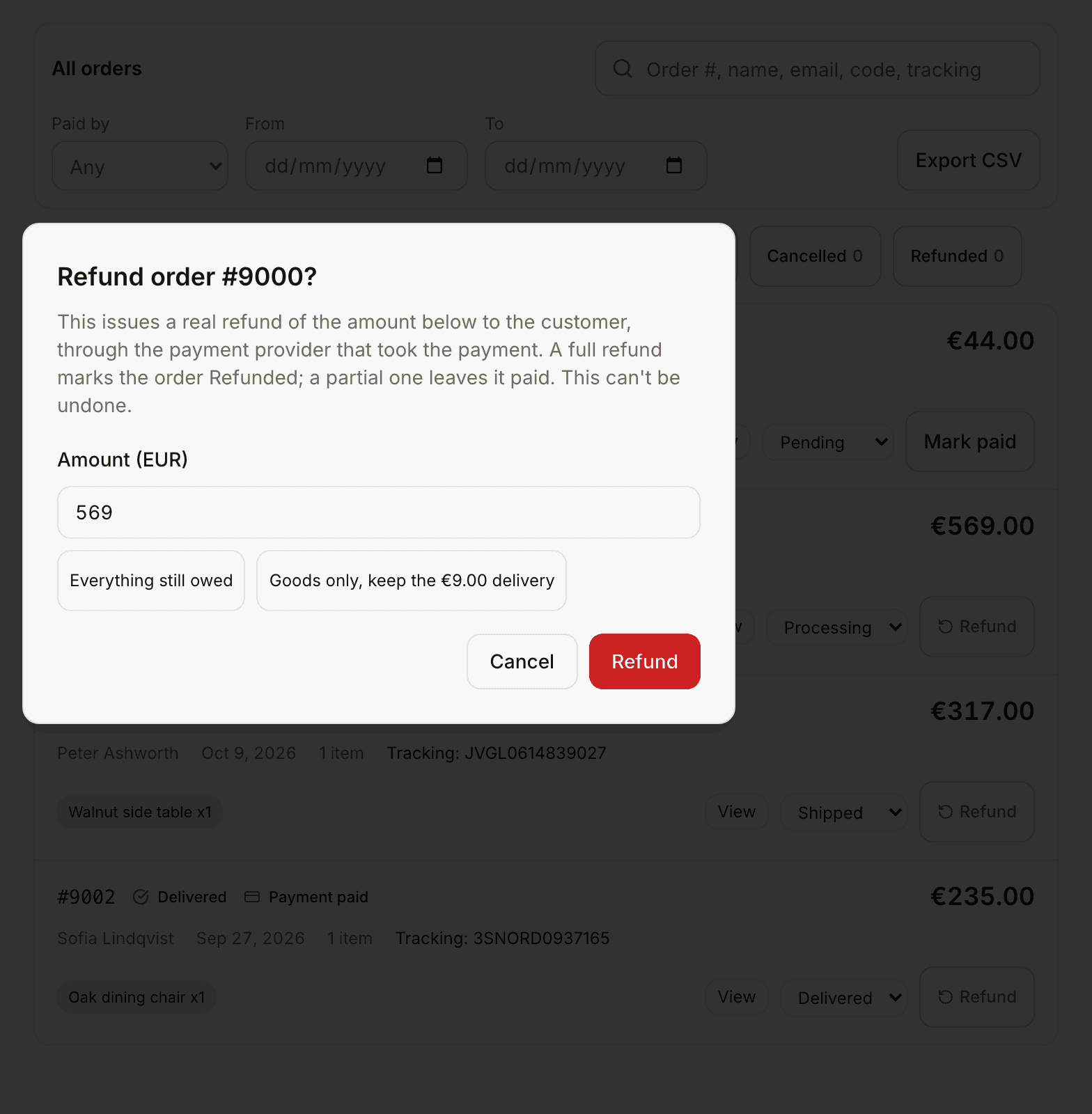
You refund a store order, a booking or a membership from its row in the console, and the refund is issued through Stripe on your account. Payouts, disputes and the account itself are managed in your Stripe dashboard, which the setup screen links to.
Refund on the row
A full refund puts a store order's items back in stock if the order has not shipped, and ends a membership's access; a refunded booking frees its slot.
Paid into your account
Direct charges: the money never passes through Cliux.
Account status on the setup screen
When Stripe changes the account's standing, or the account is disconnected in Stripe, the setup screen shows it.
- Platform commission on a sale
- 0%
- Checkouts on one connection
- 11
- Currencies the store can charge in
- 27
These figures are counted from the product.
What you get
Stripe with Cliux
Connect from the console
One authorisation on the Payment setup screen (Payments & Sales → Setup & Connect); agencies connect theirs from the Launchpad.
Direct charges
Each checkout is created on your connected account, and Cliux takes no application fee.
Card payments at checkout
Checkouts accept cards. Payment methods that complete days later are not offered, so an order is never completed against stock the site has already released.
Trials on membership plans
A plan with trial days starts the subscription with that trial on Stripe; the member is active from day one.
Refunds where the order is
Store orders, bookings and memberships are refunded from their own screens; the refund is a Stripe refund on your account.
No webhook setup
Cliux receives the events of connected accounts at its own endpoints. You configure no webhook, and a disconnection made in Stripe is detected.
Not included
Not currently available with this connection
If you need one of these, let us know through the contact form. We prioritise this list based on the requests we receive.
- Stripe Tax
- Automatic calculation with Stripe Tax is not currently available. A store's tax comes from the rates you set on its Taxes screen.
- Retry schedules for failed payments
- When a member's renewal fails, Cliux marks the membership past due; any retry follows the settings of your own Stripe account.
- Usage-based billing
- Plans are fixed prices per interval. Metered or per-seat billing is not currently available.
- Bank debits
- SEPA, Bacs and other payment methods that complete days later are not currently available at checkout.
- A test-mode switch per site
- Your connected account follows the platform's mode. A per-site switch between test and live is not currently available.
- A product-to-price mapping
- Checkouts are priced from the Cliux catalogue at the moment of purchase. The two exceptions are in the page builder: the payment button takes a Stripe Price ID you paste, and the embedded Stripe checkout sells products you choose from your Stripe account.
Frequently asked questions
Have other questions?Use the contact form
In the site console under Payments & Sales → Setup & Connect, with the Connect Stripe button. An agency connects its own account from the Launchpad's Connect payments step. There is no separate integrations screen.
No. Every checkout on your site is a direct charge on your connected account with no application fee. Stripe's own processing fees apply. Cliux charges a fee only on a few payments that are not sales made by your site, such as a payment to an agency for work found on the hire market.
Store orders, restaurant orders, event tickets, bookings (single, series and packages), donations, paid membership plans, the page builder's payment button and embedded Stripe checkout, and the invoices an agency sends its clients.
No. Cliux's own endpoints receive the events of every connected account, verify their signature and act on them: an order paid, a subscription changed, a refund, a dispute, a disconnect.
Yes, from the order, booking or membership itself. The refund is issued on your Stripe account and the record on the site is updated.
For store orders, yes: at the rates you set on the store's Taxes screen. Restaurant orders, bookings, tickets, donations and memberships are charged as you set them, with no tax added. Automatic tax calculation with Stripe Tax is not currently available.
Get started
Try Stripe on a Cliux site.
Building and previewing are free. Publishing a site, at its Cliux address or on your own domain, is $192 a year on the Website plan, and selling starts on the Business plan.